
Knot IQ - The Bear Essentials
The Bear Essentials Outdoors Co. LTD.Books & Reference
5.0190.00 Reviews
- Version
- 3.8.1
- Installs
- 10.00K
- Age Rating
- Everyone
Screenshots
Our Review of Knot IQ - The Bear Essentials
 Analysis by Appyee
I often reach for a knot guide when I know what I need to secure but can’t quite remember the tying sequence. That’s the gap Knot IQ - The Bear Essentials is meant to fill: it’s a paid reference app from The Bear Essentials Outdoors Co. LTD. built around learning and revisiting knots. Its emphasis on 3D visuals and offline access makes it especially relevant when you’re away from a signal, though the useful question is whether its visual guidance suits the way you learn and work.
A reference you can take outdoors
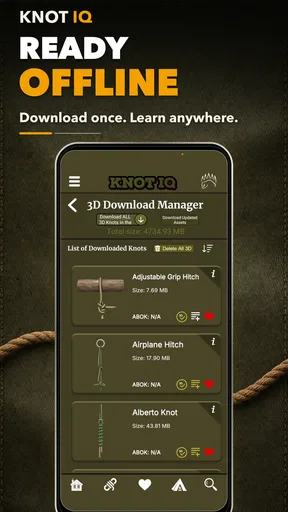
For a knot-tying app, offline access is more than a convenience. You might want to check a step at a campsite, beside a boat, or in a workshop where you would rather not depend on a connection. Having the guide available offline can make it easier to consult at the moment you need it. I’d still practise an unfamiliar knot before relying on it for a consequential task: a diagram or animation can clarify a sequence, but it can’t inspect your rope, judge your setup, or confirm that a knot is appropriate for a particular load.
The app sits in the Books & Reference category, and that is the right way to think about it. It is a learning aid and lookup tool, not a substitute for hands-on instruction or a safety check. With a 4.9 average from around 480 ratings, it appears to have found an audience, but ratings don’t tell me whether a particular knot is suitable for your equipment or situation. I would use the app to learn and refresh technique, then make an informed choice about the real-world application.
What 3D guidance can—and can’t—do
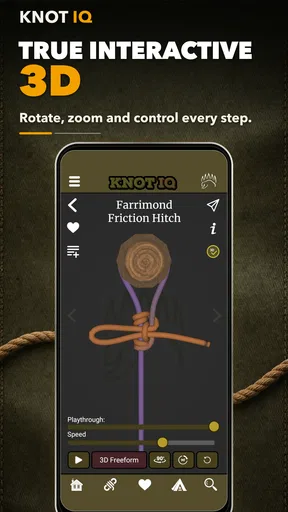
Two-dimensional illustrations can make it difficult to tell which strand passes over another, particularly when a knot has several turns. A 3D presentation can help by showing the form from different angles, giving you a better chance of understanding how the finished knot is built. That is most valuable when you pause and compare the visual sequence with the rope in your hands, rather than simply watching once and assuming the movement has stuck.
A practical approach is to keep a short length of spare cord nearby, follow the visual steps slowly, and then tie the knot again without looking. If you lose track, return to the point where the strands cross instead of restarting the whole sequence. This turns the app from a quick answer into a practice tool. It also exposes a limitation common to visual guides: screen instructions can show the intended structure, but your own cord’s thickness, stiffness, and condition affect how easy it is to reproduce.
Trust, cost, and what to check
The app costs $4.99, so I’d treat it as a purchase for people who expect to consult knot references repeatedly, rather than as a novelty to open once. It is rated for Everyone, and the current version is 3.4.0. It was released on March 11, 2025, and has over 10,000 installs. Those details give a sense of its place in the market, but they are not a reason by themselves to trust a knot in a safety-critical situation.
When I assess an app that may be used outdoors, I separate what it visibly offers from assumptions about its privacy or account practices. The offline focus is useful, but it does not, by itself, establish what permissions the app requests or how any data is handled. I would check the permission prompts and the available privacy information on the platform where I install it, and avoid granting access that does not make sense for a knot reference. That is a sensible habit for any app, especially one you may open in the field and use without thinking about its settings.
Getting Started with Knot IQ
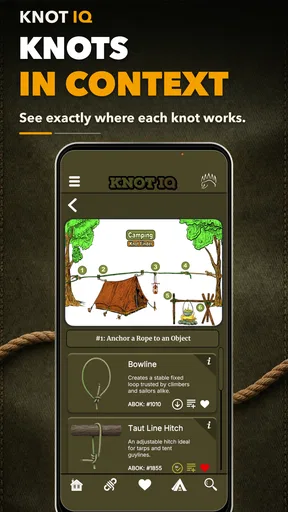
Once you download the app, the first thing you’ll notice is its super user-friendly interface. It doesn’t matter if you’re an absolute rookie or a seasoned knot enthusiast; the app makes learning easy and fun. The home screen gives you a neat overview of different categories of knots, ranging from fishing to climbing, and even decorative knots for those crafty moments.
Interactive Learning
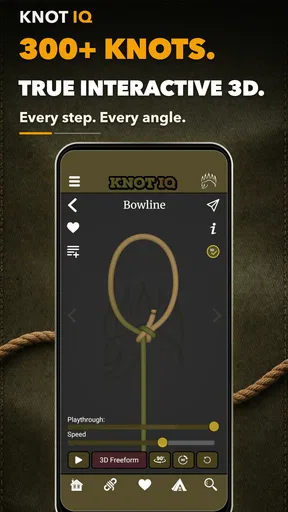
The app is all about interactive learning. Each knot comes with detailed, step-by-step instructions paired with high-quality animations. You can zoom in and out, rotate the knot, and see each step clearly. It feels like having a personal knot-tying instructor right in your pocket. I found the animations particularly helpful because you can see the knot come to life, which is way better than trying to figure it out from static images.
Why You’ll Love It
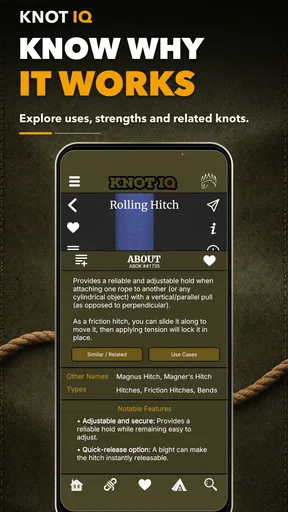
Here’s the thing: it isn’t just about tying knots; it’s about understanding them. The app explains the purpose and best use of each knot. So, whether you’re setting up a tent, securing a load, or just tying up your shoelaces in a new way, you’ll know exactly why you’re using a particular knot. Plus, the search feature is top-notch. Need a quick refresher on a Bowline or a Clove Hitch? Just type it in, and you’re good to go.
Features That Stand Out
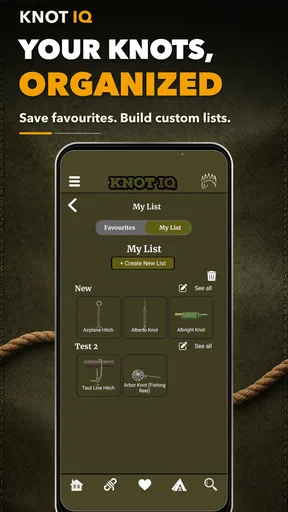
One feature I absolutely love is the favorites list. You can bookmark your most-used knots, making it super quick to revisit them. The app also updates regularly, adding new knots and features, which keeps things fresh and exciting.
- Favorites List: Save your go-to knots for easy access.
- Regular Updates: Stay up-to-date with new knots and improvements.
- Search Functionality: Quickly find any knot you need.
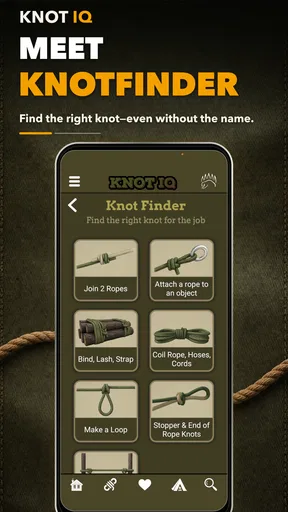
To get more value from those tools, I’d build a small personal shortlist before a trip: save the knots you expect to use, then open each one at home and try it with the same kind of cord you’ll carry. This is a more reliable preparation routine than searching under pressure when your hands are cold or busy. Favorites are most useful as a compact working reference, not as a substitute for learning; if you can’t identify the knot by name, search may still help, but knowing what job you need done is the better starting point.
Choosing the right tool for the moment
Compared with a printed knot book, an animated guide can make strand order easier to follow and is convenient to keep on a phone. A book, however, never needs charging and can be easier to scan when you want to compare several diagrams at once. General web searches can be quicker for a one-off question, but they may send you between pages with different terminology or explanations. The app’s focused reference format is appealing when you want a consistent place to practise, while a book or in-person demonstration may be a better choice if you need broad background or feedback on your technique.
For example, imagine preparing a tarp before a weekend outdoors and remembering the general idea of a hitch but not the exact path of the working end. I’d use search to locate the relevant entry, rotate or zoom the 3D view as needed, then tie it on spare cord before setting up the tarp. Once the arrangement works, I’d save it as a favorite for the next trip. That sequence—look up, practise, check, save—makes better use of the app than trying to learn a new knot while the weather is turning.
Who will get the most from it
I can see this being worthwhile for campers, anglers, scouts, craftspeople, and anyone who ties the same few knots often enough to want a dependable refresher. Beginners may appreciate being able to revisit a sequence at their own pace, while experienced users may mainly value quick search and a personal favorites list. The category range also makes it useful around the house: tying down a bulky item, organising cord, or working on a decorative project can all prompt a knot question.
It is less compelling if you rarely tie knots, already have a trusted reference you use comfortably, or prefer to learn entirely from a person demonstrating the movement in front of you. It is also not the right sole resource for climbing, rescue, or any other high-consequence use. In those situations, follow qualified instruction and the guidance for the specific equipment and application; a general reference can support practice, but should not decide whether your setup is safe.
Practice, limits, and user choice
One useful habit is to check not just whether a knot looks like the animation, but whether you can explain what each strand is doing. Then pull it snug in a controlled way and inspect the shape before using it. This catches a common learning trap: a knot can look close to the reference while a crossing or turn is misplaced. If the result does not match, loosen it and repeat rather than trying to force it into shape.
Offline access also deserves a little planning. I would open the app before leaving home, confirm that the material I expect to need is available, and make sure my phone has enough battery for the trip. Offline use can remove dependence on a network, but it cannot remove dependence on the device itself. For a remote outing, I’d keep a printed or memorised fallback for any knot that matters to the plan.
For questions about permissions, accounts, or personal information, the practical answer is to review the controls and privacy details shown by your app platform and within the app, rather than infer them from its purpose. Pay attention to prompts when they appear and make a deliberate choice. A knot reference should be judged on what it helps you do as well as on whether its requested access feels appropriate to you.
Perfect for All Skill Levels
Whether you’re a scout leader teaching youngsters, a rock climber needing reliable knots, or someone who just wants to learn something new, this app caters to all skill levels. It’s got the basics for beginners and more complex knots for advanced users. The app encourages you to practice and master each knot, turning you into a knot-tying pro in no time.
Final Thoughts
Wrapping it up, Knot IQ - The Bear Essentials is a must-have app for anyone interested in knot tying. Its straightforward approach, combined with interactive tools, makes knot learning both enjoyable and practical. Whether you're heading into the wild, working on a DIY project, or just want to impress your friends, this app has you covered. Download it, and you’ll never find yourself tangled up in knots again!
My more cautious verdict is that it is a strong fit for people who want a portable, visual place to learn and revisit knots, especially when offline access and repeat practice matter. The one-time price may feel unnecessary to someone who only needs an occasional answer, and the app’s guidance should not be treated as certification or a guarantee of safe rigging. If you approach it as a hands-on study aid—checking the knot, the cord, and the task separately—it has a clear role; if you need expert supervision or a paper reference that works without a phone, choose that alongside it.
Verdict
Strengths of Knot IQ - The Bear Essentials
- User-friendly interface, easy to navigate.
- Wide variety of knot tutorials available.
- High-quality instructional videos included.
- Offline mode for knot access anytime.
- Regular updates with new content.
Limitations of Knot IQ - The Bear Essentials
- Limited free content, in-app purchases required.
- Ads can be intrusive during use.
- Some tutorials lack detailed explanations.
- Requires initial download space of 100MB.
- No community forum for user interaction.
Similar Picks in This Category
View All
Google Play Books & Audiobooks
Google LLC4.7

네이버 - NAVER
NAVER Corp.3.5

Wattpad - Read & Write Stories
Wattpad.com3.7

King James Bible - Verse+Audio
Ozion4.8

Bible Offline-KJV Holy Bible
Bíblia Offline4.9

Amazon Kindle: Reading App
Amazon Mobile LLC4.8
Frequently Asked Questions
What is Knot IQ - The Bear Essentials, and how does it work?
Knot IQ - The Bear Essentials is a comprehensive app designed to teach users a wide variety of knot-tying techniques, particularly useful for outdoor enthusiasts, sailors, and scouts. The app offers detailed step-by-step instructions, accompanied by videos and animated guides, making it easy for beginners and experts alike to learn and master different knots for various purposes.
Is Knot IQ - The Bear Essentials available for both Android and iOS devices?
Yes, Knot IQ - The Bear Essentials is available for download on both Android and iOS platforms. Users can easily find it on the Google Play Store and the Apple App Store, ensuring a seamless experience across devices. The app is optimized for smartphones and tablets, offering a user-friendly interface tailored to both operating systems.
Does Knot IQ - The Bear Essentials require an internet connection to function?
No, Knot IQ - The Bear Essentials does not require a constant internet connection to function. Once the app is downloaded, all the instructional content, videos, and animations are accessible offline. This feature makes it incredibly convenient for users who often find themselves in remote areas without internet access, such as hikers or campers.
Are there any in-app purchases or subscription fees in Knot IQ - The Bear Essentials?
Knot IQ - The Bear Essentials offers both free and premium features. While the basic version provides access to essential knot-tying instructions, users can opt for in-app purchases to unlock advanced content and additional knot categories. A one-time purchase or subscription may be required for premium features, enhancing the learning experience.
How user-friendly is Knot IQ - The Bear Essentials for beginners?
Knot IQ - The Bear Essentials is highly user-friendly and designed with beginners in mind. The app includes clear, step-by-step instructions, vibrant animations, and tutorial videos that simplify the learning process. Additionally, the intuitive interface ensures that users can easily navigate through different sections, making it accessible for individuals with various skill levels.
